

It seems easy to keep your desktop neat, but in actuality, it is not that simple to do. The files are stacked, the shortcuts are spread all over the screen, and suddenly, you are unable to locate a single document. It eventually becomes frustrating to search for what you need on the go. Numerous individuals attempt to arrange things manually, and that system tends to collapse after a couple of hectic days.
That is where a desktop organizer tool offers great help. They help to maintain everything in the same spot without much effort. iTop Easy Desktop is one of these tools, and it is aimed at enabling the user to easily and visually control their desktop setup.
However, with the vast number of tools at the present time, you may ask, is iTop Desktop Organizer worth using in 2026? This article will discuss what the tool is all about and how it really matters.
What is iTop Easy Desktop?
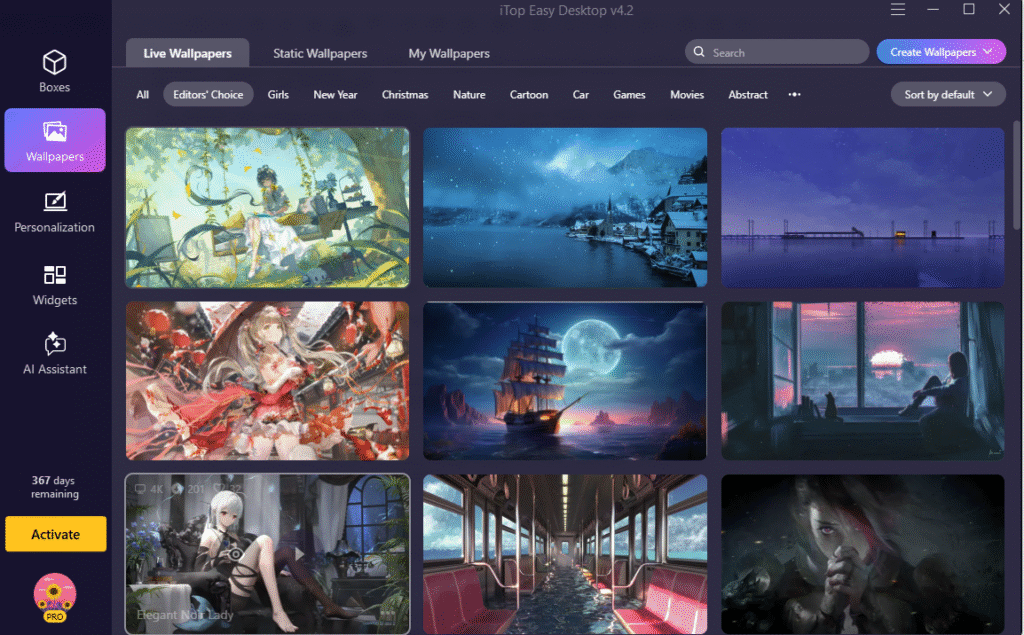
The iTop Easy Desktop is a desktop organization application that is designed to work with Windows. It assists in organizing icons, files, and folders into organized sections, which makes the screen easier to view and navigate.
The software will arrange all the files, folders, shortcuts, etc. in an orderly manner in different boxes. Related items will be placed in each box. As a result, nothing is out of place.
It is useful for:
· Managing work documents
· Organizing study materials
· Keeping media files in order
· Reducing visual clutter on your screen
The tool focuses on simplicity, so you don’t need technical skills to use it.
Why Desktop Organization Still Matters in 2026
Despite cloud storage and highly developed file systems, most individuals continue to find their desktop as a fast access area. This makes desktop organization as crucial as ever.
Faster Access to Files
You can find what you need without searching through dozens of icons when files are grouped properly. This helps to save time during daily tasks.
Less Visual Distraction
A messy desktop can make your screen feel crowded. On the other hand, it is important to have a cleaner layout. This helps you to focus on your work instead of being distracted by clutter.
Better Workflow
Your tasks will feel easier to manage when your workspace is organized. As a result, you spend less time arranging files and more time working.
Reduced Stress
A tidy screen can make your work environment feel calmer. Even small changes in organization can improve how comfortable you feel while using your PC.
Key Features of iTop Easy Desktop
Let’s look at the features it offers to understand if the tool is worth using.
Desktop Boxes for File Grouping
The possibility of making boxes on your desktop is among the key features of this tool. These serve as containers in which one can store related files.
You can make boxes of:
· Work projects
· Personal files
· Applications
· Downloads
This makes your desktop look more structured and easier to navigate.
Automatic Organization
The program is able to automatically organize your desktop icons. It identifies the types of file and puts them into appropriate categories. This is convenient to users who do not have time to arrange all these manually. It also maintains your desktop clean even as you add new files.
Quick Access to Files
You can open files without having to open folders individually. They are available in their grouped folders. This saves time, particularly on documents or tools that are in common use. All of them will be in sight and easy access.
One-Click Hide Feature
There are also times when you require a clean screen e.g., when making a presentation or sharing a screen. With the software, you can hide all desktop icons immediately with just one click. You can take them back again as soon as they are required.
Custom Layout Options
Users can adjust the size and position of desktop boxes. This means you can design your layout based on your preference.
Some people prefer a minimal look, while others like multiple sections. The tool supports both styles.
Lightweight Performance
The program is efficient and works perfectly with minimal consumption of system resources. It does not slow your computer even when you are sorting a high number of files.
How to Use iTop Easy Desktop?
Here is a simple guide to get started.
Step 1: Download and Install
Go to the official page for iTop Easy Desktop and download the software. After downloading open the installer, follow the setup instructions, and launch the program.
Step 2: Let the Tool Scan Your Desktop
Once opened, the software scans your desktop and identifies existing files and shortcuts. It prepares them for grouping based on type or category.
Step 3: Create and Arrange Boxes
You can accept the suggested layout or create your own boxes.
· Add a new box
· Name it clearly
· Drag files into it
Step 4: Customize the Layout
Adjust the size and position of boxes to match your preference. You can move them around until your desktop feels comfortable and easy to use.
Step 5: Maintain Your Setup
As you add new files, place them into the correct boxes. This keeps your desktop organized over time.
Is It Worth It?
Yes, it is for users who have disorganized desktops. When your screen is full of icons all the time, and you spend time searching for files, the tool can be really helpful.
In case you have a minimal and highly ordered desktop already, you might need it to keep it in that condition forever. It relies on your workflow, whether you need to use this tool or not.
However, it can be a convenient addition to many users, particularly those who have to deal with numerous files.
Final Thoughts
By 2026, productivity tools will be found everywhere, yet frequently, the most effective ones are good at solving simple problems.
iTop Easy Desktop aims at assisting users in organizing a cluttered desktop, accessing files more quickly, and making cleaner digital workspaces. It has useful features such as desktop boxes, automatic sorting, hiding of icons, and customizable layouts without complicating things.
When desktop clutter is becoming a drag on you, it might be worth giving this tool a go. Even cleaning up your screen could be a step towards a better workflow.