

: Organizing Power for Connected Devices
Smartphones, watches, earbuds, speakers, lighting systems, and other connected products have become common parts of many homes and workspaces. As the number of smart electronics grows, users may also need a practical way to organize charging cables, power adapters, and device placement.
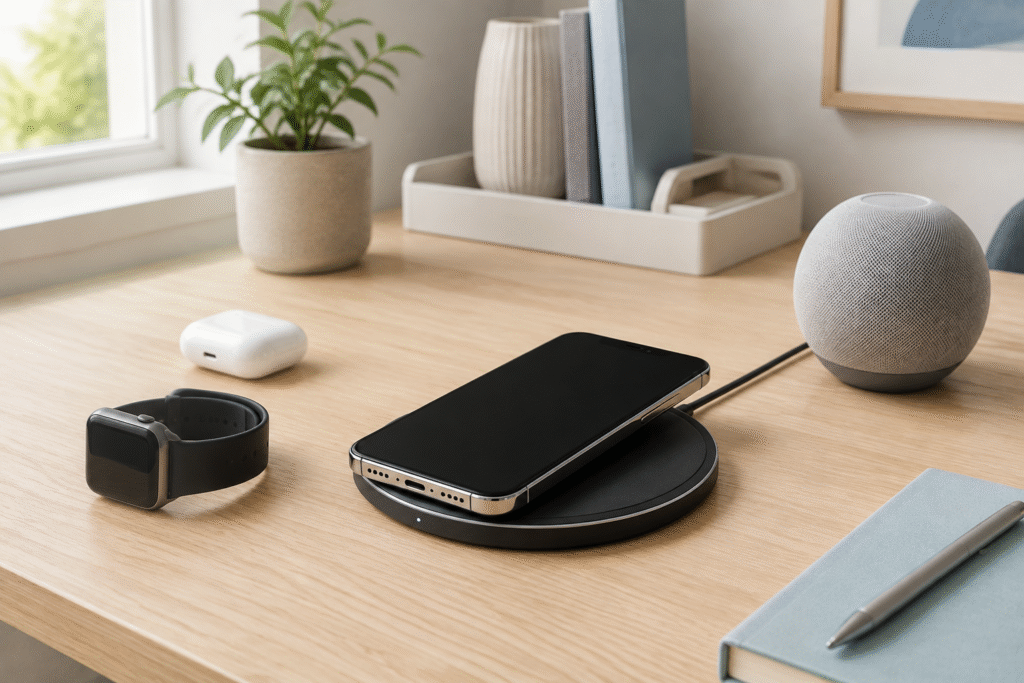
A wireless charging pad for iPhone can provide a designated location for a compatible phone. Instead of connecting a cable directly to the phone during every charging session, the user places the device on the pad according to the product instructions. The charging pad itself still requires a connection to a suitable power source.
Wireless charging does not remove every cable from a room, but it can reduce the need to repeatedly connect and disconnect the phone’s charging port. A pad may be placed on a nightstand, office desk, entryway table, or another stable surface where the phone is regularly stored.
Compatibility should always be confirmed before purchase. The specific iPhone model, phone case, charging pad, cable, and power adapter all influence whether the setup operates as intended. Smart electronics may use different charging methods, so a pad designed for one type of device may not support every phone, watch, or pair of earbuds.
Planning the complete setup helps shoppers avoid purchasing accessories that require additional, unexpected components.
: How a Wireless Charging Pad Fits Into Daily Life
A wireless charging pad creates a consistent place for setting down a phone. This can be useful in locations where the device is frequently used and returned, such as a desk during work hours or a nightstand at the end of the day. The pad should remain accessible without creating clutter or interfering with other objects.
Correct alignment is important because the charging components inside the phone and pad need to be positioned appropriately. Some designs use alignment features, while others require the user to center the phone manually. Charging indicators may show whether power transfer has started, but the type of indicator varies by product.
The shape of the pad also affects its use. Flat designs allow the phone to rest horizontally, while stand-style chargers hold it at an angle. A stand may make the screen visible from a desk, while a flat pad can maintain a lower profile. The intended location should guide the choice.
Users should also consider how they interact with their phones while charging. Frequent lifting and replacing may interrupt a charging session. People who need to use a phone continuously may prefer to charge at a different time or use a wired connection when appropriate.
The charging pad should be placed on a stable, dry surface with enough space for the phone to remain fully supported.
: Checking iPhone and Accessory Compatibility
Before selecting a wireless charging pad for iPhone, shoppers should identify their exact phone model. Different iPhone generations may support different wireless charging features, connector types, and accessory arrangements. Compatibility claims should be checked against current documentation from the phone and charger manufacturers.
The phone case can affect charging. Case thickness, materials, attached wallets, stands, grips, and metal components may interfere with alignment or operation. A product listing may specify maximum case thickness or identify accessories that should be removed before charging. These instructions should be followed rather than assuming every case will work.
The power adapter is another part of the system. Some wireless charging pads are sold with an adapter, while others include only the pad and cable. The required adapter specifications should be reviewed before ordering. Using an incompatible power source may prevent the pad from operating as described.
Shoppers should also inspect the cable connection on the charging pad. A detachable cable may be replaceable, while a permanently attached cable creates a different storage and maintenance arrangement. Cable length should match the distance between the intended surface and electrical outlet.
Wireless charging speed claims depend on the complete setup and compatible device. Users should review the stated requirements instead of expecting the same charging behavior from every phone, case, adapter, and pad combination.
: Placement, Maintenance, and Responsible Use
The location of a charging pad can influence convenience and everyday safety. It should be positioned away from liquids, excessive heat, unstable edges, and areas where the cable may create a tripping or snagging hazard. The manufacturer’s guidance should be followed regarding ventilation and operating conditions.
Foreign objects should not be placed between the phone and charging surface. Coins, keys, cards, metal accessories, and unrelated electronics should be kept away from the active charging area. If the pad or phone displays an error, becomes damaged, or behaves unexpectedly, charging should be stopped and the product instructions consulted.
Dust and debris may collect on a charging surface over time. Cleaning should follow the manufacturer’s directions, and the device should generally be disconnected from power before maintenance. Liquids and unsuitable cleaning tools should not be applied to electrical connections.
The charging cable should also be inspected periodically. Fraying, exposed wiring, bent connectors, cracked housings, or loose connections can indicate that the accessory requires replacement. Pulling directly on the cable rather than the connector may place unnecessary stress on the connection.
Smart electronics should be arranged so that one device does not cover another product’s vents, controls, or charging area. A tidy appearance should not come at the expense of correct placement or access to power connections.
: Connecting Charging Accessories With Smart Electronics
A home or office may contain several categories of smart electronics, each with its own charging or power requirements. Phones and earbuds may support compatible wireless charging, while watches, tablets, speakers, cameras, and home-control devices may require dedicated cables or adapters.
A multi-device charging station can provide several charging areas, but shoppers should verify which devices are supported. A product that physically accommodates three devices does not automatically support every combination of phone, watch, and earbuds. Each charging position may have separate compatibility requirements.
Power management is also important. Adding more devices can increase the number of adapters and outlets required. A properly rated power strip or charging station should be used according to its instructions and electrical limits. Extension cords and adapters should not be combined in ways that conflict with manufacturer guidance or local electrical requirements.
Users can create a designated charging area by grouping compatible devices without forcing every electronic product into one setup. Labels on cables or organized storage compartments may help identify which charger belongs to each device.
A wireless charging pad for iPhone can serve as one part of this arrangement. It does not need to replace every existing charger. Instead, it can provide a consistent charging location for a compatible phone while other smart electronics use the connections designed for them.
: Creating a Shopping Checklist Before Ordering
A clear shopping checklist can reduce compatibility problems when purchasing a purchasing a wireless charging pad for iPhone. Start by recording the exact iPhone model, current case type, preferred charging location, and available electrical outlet. Then decide whether a flat pad, angled stand, or multi-device station fits the intended routine.
Review the product description for supported devices, alignment method, input requirements, included cable, included power adapter, dimensions, and indicator lights. If the listing does not clearly explain what is included, additional confirmation may be needed before ordering.
Measure the available surface and check the required cable length. A nightstand may need a compact pad with a subtle indicator, while an office desk may benefit from a stand that keeps the screen visible. These are usage differences rather than universal product rankings.
Warranty information, return conditions, shipping terms, and customer-support options should also be reviewed. Keep the packaging until the charger has been tested with the intended phone, case, cable, and adapter within the retailer’s permitted return period.
Smart electronics work most reliably as an organized system when each component has a clear purpose. By checking compatibility, included accessories, placement, and maintenance requirements, shoppers can select a charging pad that fits their device and daily routine without relying on unsupported marketing claims.